GED Retake Policy: What to Do After a Failed Subject Test
A GED retake policy is not one nationwide price or waiting rule. Start with the official result for the subject you took, then verify the current rules for your state and testing format before you book another attempt.
Check the Next Steps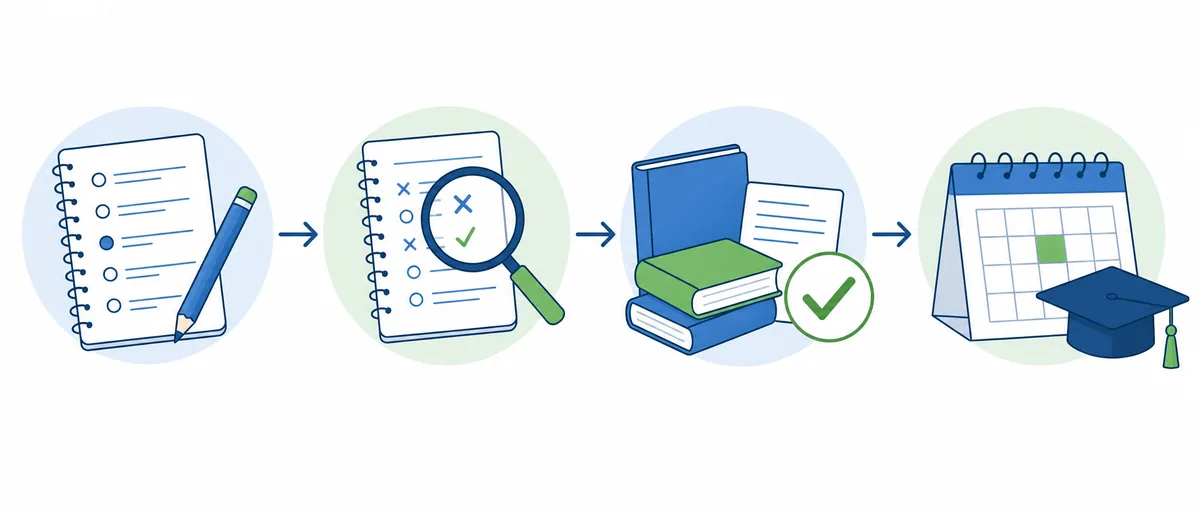
Quick Answer: What Should You Do First?
Open the official GED subject result, save the score details, and confirm your current state or jurisdiction rules in GED.com before paying or choosing a date. Attempt limits, waiting periods, fees, vouchers, and online-test requirements can differ. Use a free practice test to work on a weak subject, but do not treat a practice score as an official GED retake result.
How the GED Retake Policy Works by Subject
The GED is organized into separate subject tests: Mathematical Reasoning, Reasoning Through Language Arts, Science, and Social Studies. If one subject result is below the passing level, begin by checking that specific result rather than assuming you must repeat the entire test battery. Your GED.com account and the policy for your testing location are the places to confirm which subjects are complete and what may be scheduled next.
A retake means another official attempt at a subject test. It is different from answering more practice questions, repeating a free quiz, or taking GED Ready. Those preparation steps can help you decide what to study, but only the official account can show the status of an official test and its scheduling options.
Read the Official Result Before You Schedule
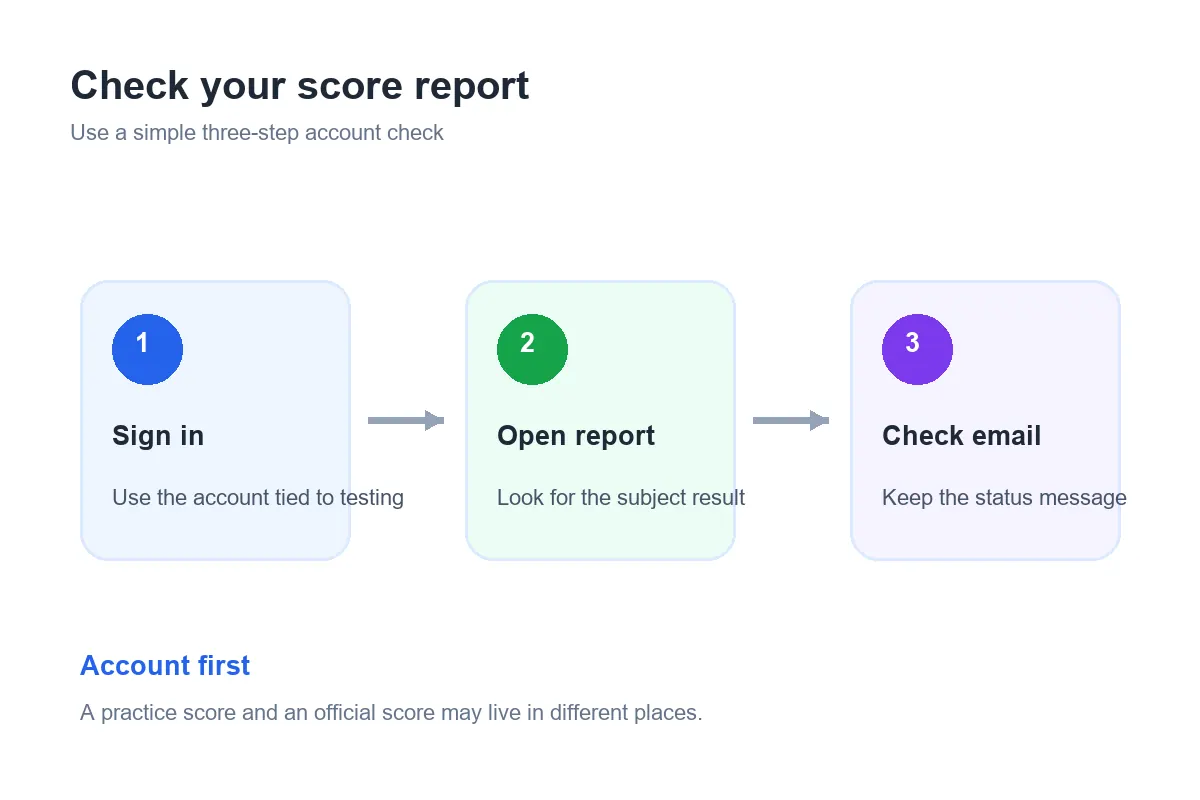
Sign in to the same GED.com account associated with your appointment and open the official score report. Check the subject name, result status, and any detail that helps you understand what to review. If the report is missing or does not match the subject you took, resolve that account or result question before booking another test.
Write down the date, subject, score-report status, and the skills you want to revisit. Keep a practice result separate from the official report. A free GED practice test can identify a possible knowledge gap, but it does not replace the official GED score or prove that a retake is available. If you receive a result notice by email, use it as a prompt to sign in; confirm the subject and status in the official score report before deciding what to do next.
Check Your State's GED Retake Rules
Open the official GED state policies page and select the location where you plan to test. The policy page is designed for location-specific rules, pricing, and contact information. Then sign in to your GED.com account and compare the rules with the appointment options shown for your subject and testing mode.
Before you schedule, look for the number of attempts allowed, any wait before another attempt, the current fee, voucher or discount conditions, and whether the rule differs between a test center and online testing. Do not copy a waiting period or price from an old post or another state. If the public page and your account appear to disagree, contact the state administrator or GED support listed by the official source and keep the response for your records.
Rules can also depend on the test format and your own account status. For example, online appointments may have readiness, identity, equipment, or room checks in addition to subject retake rules. The GED requirements guide explains the broader eligibility checks, while the official policy page remains the final source for current local instructions.
Four Steps to Plan an Official GED Retake
1. Save the subject result
Keep a copy or note of the official result and date. Identify the exact subject that needs another attempt, and write down any result detail that points to a skill area. Avoid making a decision from memory or from a practice-test percentage.
2. Confirm rules and availability
Check the policy for your state, then view the available options in your GED.com account. Confirm whether a wait applies to your situation, whether the subject can be booked now, and whether the online or test-center path has additional conditions.
3. Check the full cost
Look at the current price shown for the subject and format you will take. Check whether a voucher, retake credit, or local discount applies and when it expires. Our GED test cost guide explains how to compare subject fees, GED Ready, and retake costs without assuming one national price.
4. Choose a date after a useful review
Decide how much review you need before selecting an appointment. Use the GED test dates and scheduling guide to prepare the details to check before booking. If the account shows no suitable option, use its official support path rather than trying to bypass a policy or scheduling restriction.
Online and Test-Center Retakes May Have Different Checks
The subject being retaken is only one part of the appointment. A test-center appointment may require you to confirm the location, arrival time, identification, and subject shown on the confirmation. An online appointment may also require an eligible location, a compatible computer, a room that meets proctoring rules, and any readiness result that the account currently requests.
Do not assume that passing the same preparation step once means it remains valid for every later appointment. Review the current instructions in your account shortly before scheduling and again before test day. For the general at-home checklist, see whether you can take the GED test online.
Prepare for the Retake with Focused Practice
Repeating a full practice test immediately can show that you remember the questions without revealing what changed in your understanding. Instead, review the official result, list the skills that felt difficult, and work through a short set for each skill. Read the explanations for both correct and incorrect answers so you can tell whether the issue was a concept, a misread question, a calculation, or time pressure.
Use practice questions for the specific subject you plan to take. The site's free GED practice tests and GED subject overview can help you choose a starting point. After a focused review, try a fresh timed set and compare the reasoning behind your answers, not only the total score. If the same errors remain, spend more time on those skills before paying for another official attempt.
GED Ready is the official readiness test, while this site's free practice is independent study material. If you plan to test online or want an additional readiness signal, use the GED Ready guide and verify what your account requires now. A readiness label is useful only when it matches the current rule for your location and appointment type.
Common Retake Situations
| Situation | Check first | Useful next move |
|---|---|---|
| One subject result is below passing | Official report and local subject rules | Review that subject's weak skills and schedule only when eligible. |
| You do not see an appointment | Account status, location, subject, and available dates | Try the official support contact shown for your testing area. |
| You want to switch from a center to online | Online availability, readiness, equipment, and room rules | Confirm the online conditions before changing the appointment. |
| A fee or wait-time message is unclear | Current state policy and the message in your account | Ask the listed administrator before paying or booking again. |
Mistakes to Avoid After an Unsuccessful Test
- Assuming one national rule applies everywhere. Confirm your testing location's current rule and do not reuse an old fee or waiting period.
- Confusing practice with an official retake. A free quiz can guide studying; it cannot change the official result or account status.
- Booking before checking the subject and format. Make sure the account shows the intended subject and test-center or online option.
- Repeating the same study routine without reviewing errors. Identify the reason an answer was missed, then practice that skill.
- Ignoring a conflicting account message. Ask the official support contact to clarify it before paying or attempting to schedule.
GED Retake Policy FAQ
Use the Official Policy Before You Book
Review the result, confirm your state rule, check the displayed fee and appointment conditions, then build a focused study plan for the subject. The GED state policies page and your GED.com account are the final sources for location-specific details. For related planning, continue with the GED cost guide, GED study guide, and scheduling guide.
Policy note: This independent preparation guide was reviewed on September 28, 2026. It does not set official GED rules, provide live appointment availability, or replace instructions in your GED.com account or from your state administrator.