GED record and document guide
How to Get a GED Transcript: Request Steps, Fees, and Delivery
A GED transcript is the record many colleges, employers, training programs, and licensing offices use to verify your GED results. The safest way to request one is to start with the official GED transcript page, choose where you earned the credential, and follow the location-specific instructions.
Reviewed September 9, 2026. Fees, delivery choices, record systems, and eligibility rules can change, so confirm the final details at the official request page.
Quick answer: how to get a GED transcript
If you are asking how to get a GED transcript, go to the official GED transcript request page, select the state or jurisdiction where you earned your GED, enter the requested identifying information, choose the delivery option, and save the order confirmation. Do not use a random “replacement diploma” site as your first stop. The issuing route matters because records may be handled differently by location and by the year you tested.

What is a GED transcript?
A GED transcript is an official record connected to your GED testing history or completed credential. It may show subjects, scores, completion information, or other record details used by the recipient. A diploma or certificate is a separate completion document; see what a GED diploma means when the terminology is unclear. Some organizations ask for a transcript because it provides a record they can evaluate; others ask for the diploma, and some request both.
Before you order, read the recipient's instructions. A college may require the transcript to come directly from the issuing service. An employer may only need a copy for an initial application, while a licensing program may require a sealed paper record or secure electronic delivery. Ordering the wrong document can cost time and sometimes an additional fee.
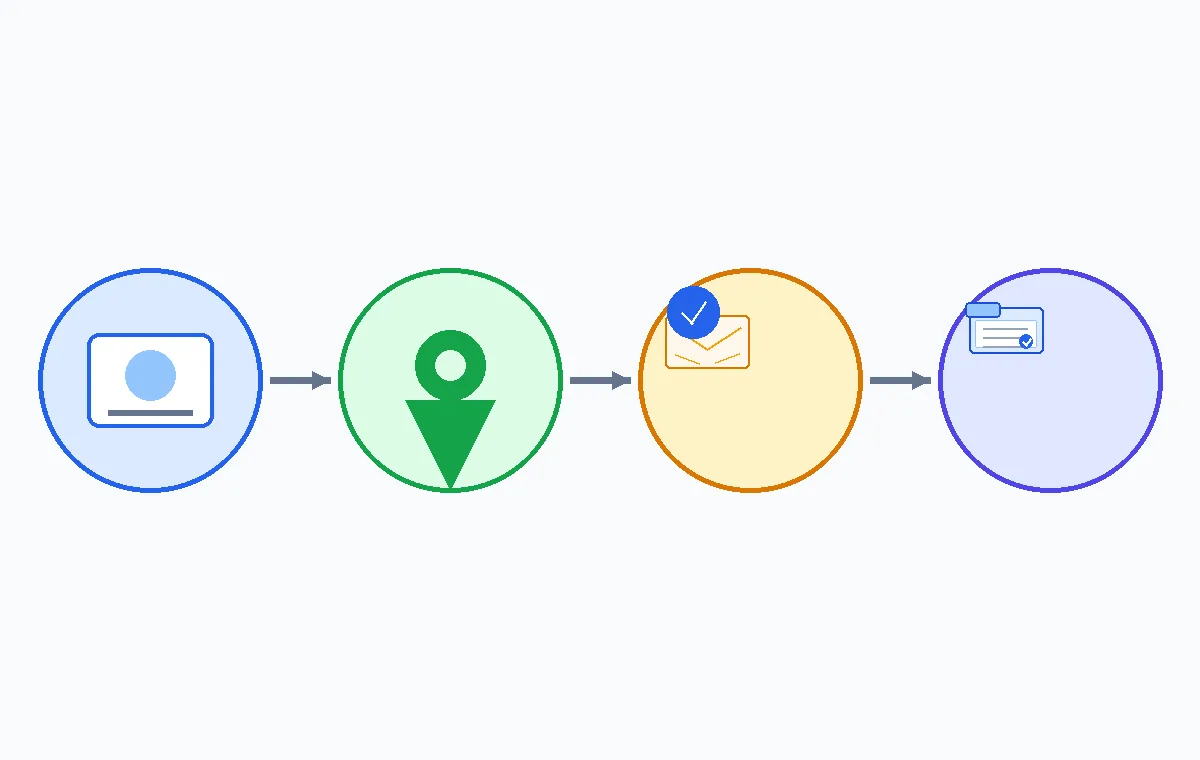
How to get a GED transcript in five steps
The request itself is usually straightforward, but the correct route depends on where you earned your GED. Use this sequence to keep the order connected to the right record system.
- Start with the official transcript page. Use the GED Testing Service transcript entry point rather than a search ad or an unofficial document seller. The page directs you to the relevant location-based process.
- Select where you earned your GED. Choose the state, territory, or other listed jurisdiction that matches your record. If you moved after testing, your current address is not necessarily the location that controls the record.
- Enter your identifying details carefully. Use the name used when you tested, your date of birth, and any other requested record details. If your name changed, follow the correction or documentation instructions instead of entering a guess.
- Choose the recipient and delivery option. Confirm whether the school, employer, or agency accepts electronic delivery, a sealed paper copy, or a direct request. Check the recipient email or mailing address character by character.
- Save the confirmation and track the request. Keep the order number, receipt, confirmation email, and any status page details. These are useful if the recipient does not see the transcript or if you need to report an error.
What information should you prepare?
Having the details ready makes a GED transcript request easier to complete and reduces the chance of a record mismatch. The exact fields vary, so treat this as a preparation checklist rather than a promise that every location asks for every item.
| Prepare | Why it matters |
|---|---|
| Full name used during testing | Helps the record system match your request to the correct file. |
| Date of birth and contact details | Supports identity checks and gives the service a way to send status updates. |
| State or jurisdiction where you earned the GED | Routes the request to the process most likely to hold the record. |
| Recipient name, email, and address | Prevents a completed order from being sent to the wrong destination. |
| Name-change or older-record documents, if requested | May help explain why your current identity details differ from the original record. |
GED transcript fees, delivery, and timing
There is not one universal GED transcript price or delivery promise for every location. The total can depend on the issuing jurisdiction, document type, delivery method, rush service, replacement request, and the recipient's requirements. Treat any price shown on a third-party page as unverified until it matches the official request route.
Electronic delivery may be quicker for a college or employer that accepts secure digital records. A paper transcript may be appropriate when the recipient specifically asks for a sealed copy. “Fast” delivery is not useful if the recipient cannot accept that format, so ask the school or agency which option it prefers before paying.
Budgeting tip: write down the base order fee, delivery fee, rush fee, and any replacement or correction charge before you submit. The GED test cost guide can help you separate testing expenses from transcript or document expenses.
GED transcript by state and older records
Searches for “GED transcript by state” are common because the request path can vary. The location where you earned the GED, the age of the record, and the state’s current record provider may affect the instructions. If your state is not obvious, use the official page’s location selector and read the instructions that appear after your selection.
If you are trying to find a GED transcript online, begin with the official transcript page and use the location where you earned the credential. A search result, school portal, or old email may help you identify the provider, but the final request should follow the issuing service’s current instructions.
Older records deserve extra patience. A former name, a changed address, a testing center that no longer operates, or a record created before a system change can lead to a manual review. Submit the exact information you know, keep copies of supporting documents, and contact the official provider if the site tells you that your record needs additional verification. Do not create a second order simply because the first one has not updated immediately.
How to send a GED transcript to a college or employer
Ask the recipient three questions before ordering: Does it need an official record? Must the record come directly from the issuing service? Does it accept electronic delivery or require a sealed paper copy? Use the exact recipient name and address supplied by the admissions, human resources, or licensing office.
After delivery, check the recipient portal or contact the office using the order number. A transcript can be delivered successfully but remain unmatched if the recipient has a different name, application ID, or email on file. If the office says it cannot accept the format, ask whether you need a new delivery method rather than sending an unverified screenshot.
Common GED transcript problems and practical fixes
- Name mismatch: compare the name in the request with the name used when you tested. Follow the official name-change instructions if they apply.
- Wrong location selected: review where you earned the GED, not only where you live now. If you made a wrong selection, use the provider’s correction route.
- Recipient has not received it: confirm the destination details, delivery method, and order status before placing another request.
- Payment or status question: keep the receipt and contact the official service through the contact method connected to your order.
- Older record cannot be found: gather former names, approximate testing dates, and location information so the official provider can search more accurately.
Avoid fake GED transcript offers
Never buy or use a fake GED transcript. It can create admissions, employment, financial-aid, or licensing problems and does not solve a legitimate record request. Be cautious with pages promising a “guaranteed diploma,” asking for payment before identifying the issuing route, or offering a document that is not sent through an official verification process. When in doubt, return to the official GED transcript page and start from the location selector.
GED transcript FAQ
Bottom line
To request a GED transcript, start with the official GED route, select where you earned the credential, prepare accurate identifying details, confirm the recipient’s required format, and save the order confirmation. Fees and delivery vary, especially for older or state-managed records. Use official instructions for corrections, and never replace a legitimate request with a fake transcript offer.
Source for current transcript instructions
This guide was reviewed on September 9, 2026. Verify current ordering steps, location options, fees, delivery methods, and record-specific instructions with the official GED transcript request page before placing an order.
GED Transcript Shortcuts
Before You Submit
Write down the original testing location, the name used during testing, the recipient’s exact delivery instructions, and the order confirmation number. This small record makes follow-up much easier.